
最近在番茄小说上看书,发现它的段落评论功能是真的好用。看到有共鸣的句子,选中就能直接看别人的评论或者自己吐槽两句。
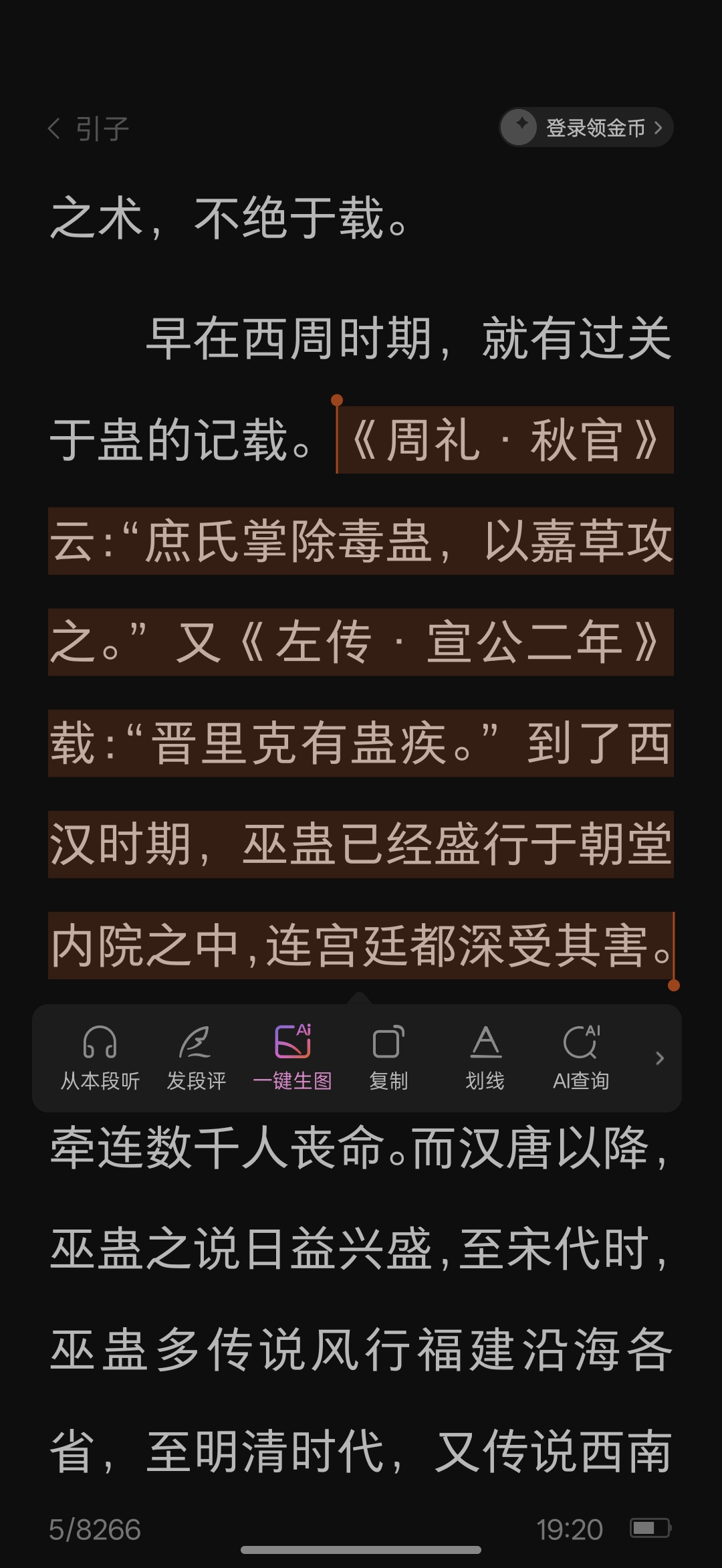
我就在想,我的博客是不是也能整一个?毕竟现在还在坚持写博客的,谁还没点表达欲呢?
下午没事折腾了一下,试着给我的 Artalk 评论系统加上了这个功能。效果还凑合,选中文字后会弹出一个“引用评论”的按钮,点击就能自动跳转到评论区并引用选中的内容。
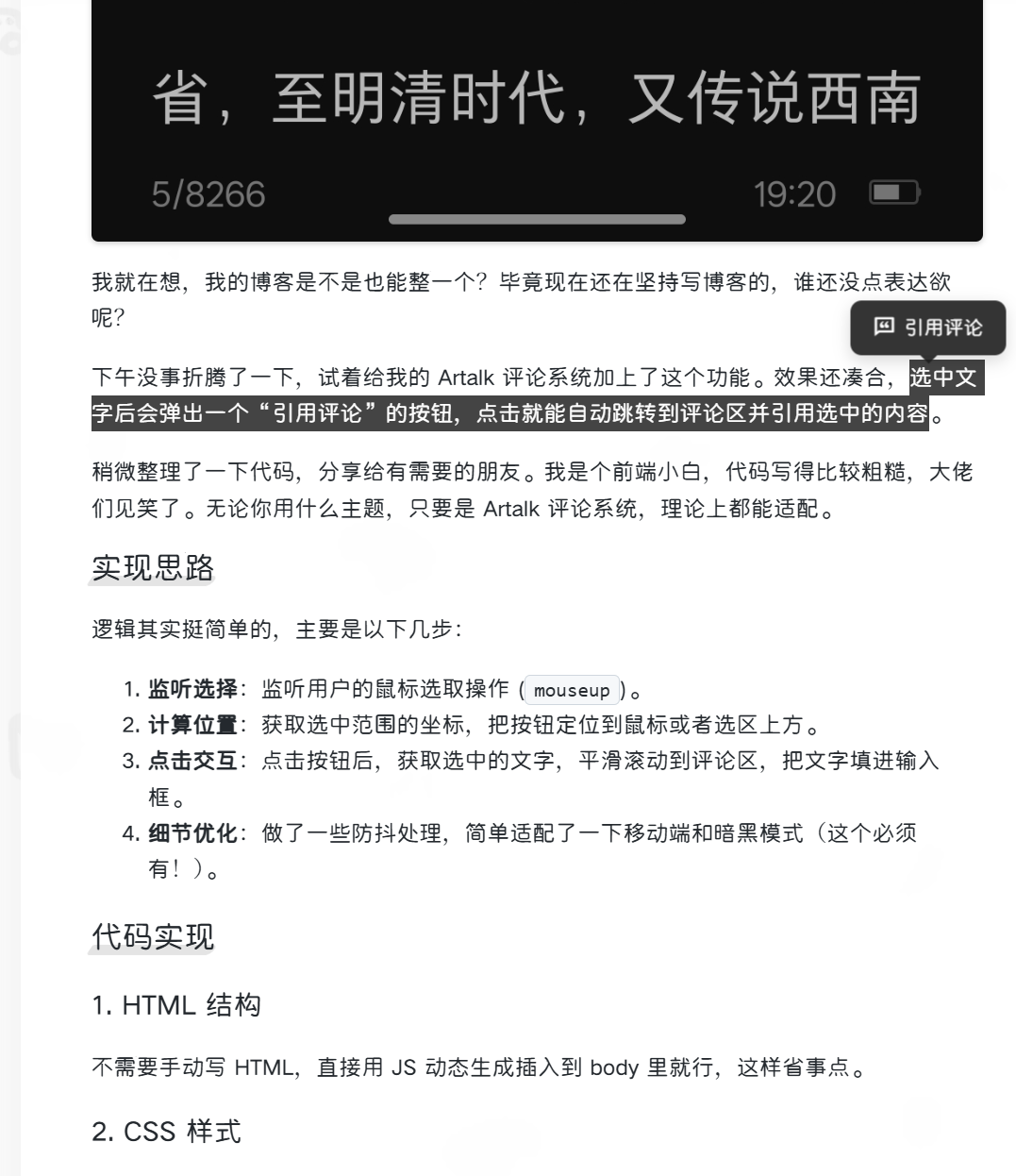
稍微整理了一下代码,分享给有需要的朋友。我是个前端小白,代码写得比较粗糙,大佬们见笑了。无论你用什么主题,只要是 Artalk 评论系统,理论上都能适配。
实现思路
逻辑其实挺简单的,主要是以下几步:
- 监听选择:监听用户的鼠标选取操作 (
mouseup)。 - 计算位置:获取选中范围的坐标,把按钮定位到鼠标或者选区上方。
- 点击交互:点击按钮后,获取选中的文字,平滑滚动到评论区,把文字填进输入框。
- 细节优化:做了一些防抖处理,简单适配了一下移动端和暗黑模式(这个必须有!)。
代码实现
1. HTML 结构
不需要手动写 HTML,直接用 JS 动态生成插入到 body 里就行,这样省事点。
2. CSS 样式
这块我调了半天。一开始用了毛玻璃效果 (backdrop-filter),结果发现页面滚动的时候有点掉帧,为了性能我把它去掉了,改成了更实用的深色/浅色背景,顺便加了 will-change 属性开启硬件加速。
把下面这段代码加到你的自定义 CSS 里:
/* 选中弹出按钮样式 */
#selection-popup {
    position: fixed;
    display: none;
    background: rgba(30, 30, 30, 0.9);
    color: #fff;
    padding: 8px 16px;
    border-radius: 8px;
    font-size: 14px;
    cursor: pointer;
    z-index: 2147483647; /* 堆叠层级拉满 */
    transform: translate(-50%, -100%);
    pointer-events: auto;
    box-shadow: 0 4px 12px rgba(0,0,0,0.15);
    transition: opacity 0.2s, transform 0.2s;
    font-weight: 500;
    line-height: 1.4;
    user-select: none;
    -webkit-user-select: none;
    align-items: center;
    gap: 6px;
    white-space: nowrap;
    will-change: transform, opacity; /* 性能优化关键 */
    animation: popIn 0.2s cubic-bezier(0.18, 0.89, 0.32, 1.28);
}

/* 弹出动画 */
@keyframes popIn {
    0% { transform: translate(-50%, -80%) scale(0.9); opacity: 0; }
    100% { transform: translate(-50%, -100%) scale(1); opacity: 1; }
}

/* 小三角箭头 */
#selection-popup::after {
    content: '';
    position: absolute;
    top: 100%;
    left: 50%;
    margin-left: -6px;
    border-width: 6px;
    border-style: solid;
    border-color: rgba(30, 30, 30, 0.9) transparent transparent transparent;
}

/* 悬停效果 */
#selection-popup:hover {
    transform: translate(-50%, -110%) scale(1.05);
    background: #000;
    box-shadow: 0 6px 16px rgba(0,0,0,0.25);
}

/* 暗黑模式适配 */
[data-theme="dark"] #selection-popup {
    background: rgba(255, 255, 255, 0.95);
    color: #000;
    box-shadow: 0 4px 12px rgba(0,0,0,0.3);
}

[data-theme="dark"] #selection-popup::after {
    border-color: rgba(255, 255, 255, 0.95) transparent transparent transparent;
}

[data-theme="dark"] #selection-popup:hover {
    background: #fff;
}
3. JavaScript 逻辑
把这段 JS 加到你的 main.js 或者 footer 的 <script> 标签里。
注意:为了性能,我这里用了 requestAnimationFrame,而且去掉了 getBoundingClientRect 这种耗性能的操作,直接用鼠标坐标定位,感觉会流畅一些。
document.addEventListener('DOMContentLoaded', function() {
    initSelectionPopup();
});

let selectionPopup = null;
let selectionTimeout;

function initSelectionPopup() {
    // 避免重复创建
    if (document.getElementById('selection-popup')) return;

    // 动态创建按钮
    selectionPopup = document.createElement('div');
    selectionPopup.id = 'selection-popup';
    // 这里用了 RemixIcon,你可以换成你自己的图标库
    selectionPopup.innerHTML = '<i class="ri-chat-quote-line"></i> <span>引用评论</span>';
    document.body.appendChild(selectionPopup);

    // 防止在按钮上点击时触发选区清除
    selectionPopup.addEventListener('mousedown', function(e) {
        e.preventDefault();
        e.stopPropagation();
    });

    // 点击按钮的逻辑
    selectionPopup.addEventListener('click', function(e) {
        e.preventDefault();
        e.stopPropagation();

        let selection = window.getSelection().toString();
        if (selection) {
            // 简单的文本清理
            selection = selection.split('\n')
                .map(line => line.trim())
                .filter(line => line !== '')
                .join('\n');

            // 限制长度,防止太长刷屏
            if (selection.length > 500) {
                 selection = selection.substring(0, 500) + '...';
            }

            scrollToCommentsAndQuote(selection);
            hideSelectionPopup();
            window.getSelection().removeAllRanges(); // 清除选区
        }
    });

    // 监听全局选择事件
    document.addEventListener('mouseup', handleSelectionChange);
    document.addEventListener('keyup', handleSelectionChange);

    // 页面滚动时隐藏
    document.addEventListener('scroll', hideSelectionPopup, { passive: true });
}

function hideSelectionPopup() {
    if (selectionPopup) {
        selectionPopup.style.display = 'none';
    }
}

function handleSelectionChange(e) {
    // 防抖处理,别频繁触发
    clearTimeout(selectionTimeout);
    selectionTimeout = setTimeout(() => {
        const selection = window.getSelection();
        const text = selection.toString().trim();
        // 记得改成你文章容器的类名,我这里是 .post-content
        const content = document.querySelector('.post-content');

        if (!selectionPopup || !content) return;

        // 没选中文字就隐藏
        if (!text || selection.rangeCount === 0) {
            hideSelectionPopup();
            return;
        }

        const range = selection.getRangeAt(0);

        // 确保选中的是文章里的内容,别把侧边栏也选进去了
        if (!content.contains(range.commonAncestorContainer)) {
            hideSelectionPopup();
            return;
        }

        // 使用 requestAnimationFrame 优化 UI 更新
        requestAnimationFrame(() => {
            selectionPopup.style.display = 'flex';

            // 定位逻辑:鼠标抬起时跟随鼠标,键盘选择时跟随选区
            if (e && e.type === 'mouseup') {
                // 直接用鼠标坐标,比 getBoundingClientRect 性能好多了
                selectionPopup.style.top = `${e.clientY - 40}px`;
                selectionPopup.style.left = `${e.clientX}px`;
            } else {
                // 键盘操作没办法,只能计算矩形了
                const rect = range.getBoundingClientRect();
                if (rect.width === 0 || rect.height === 0) {
                    hideSelectionPopup();
                    return;
                }
                selectionPopup.style.top = `${rect.top}px`;
                selectionPopup.style.left = `${rect.left + rect.width / 2}px`;
            }
        });
    }, 150);
}

// 跳转评论区并填充内容
function scrollToCommentsAndQuote(text) {
    const comments = document.getElementById('Comments'); // 评论区 ID
    if (comments) {
        comments.scrollIntoView({ behavior: 'smooth' });

        // 等滚动完了再填内容
        setTimeout(() => {
             const textarea = document.querySelector('.atk-textarea'); // Artalk 输入框 class
             if (textarea) {
                 const quote = `> ${text}\n\n`;
                 textarea.value = quote;
                 textarea.focus();

                 // 触发 input 事件,适配 Vue/React 框架的数据绑定
                textarea.dispatchEvent(new Event('input', { bubbles: true }));
                textarea.dispatchEvent(new Event('change', { bubbles: true }));
            }
       }, 500);
   }
}
简单总结
代码复制进去,刷新页面(如果有缓存记得清一下),选中这段文字试试?
这个功能不仅能提高读者的互动率,还能让评论更有针对性。我也就是瞎折腾,如果有更好的实现方式,欢迎大家在评论区指教!